

What is Microsoft Copilot?
Copilot (formerly Bing Chat)
Copilot, rebranded from Bing Chat, boosts creativity and user experience. It enhances web browsing with intuitive search capabilities, generating text and images, reformating text, and more. Available on various platforms, it allows users to customize AI responses according to their preferences.Copilot for Microsoft 365
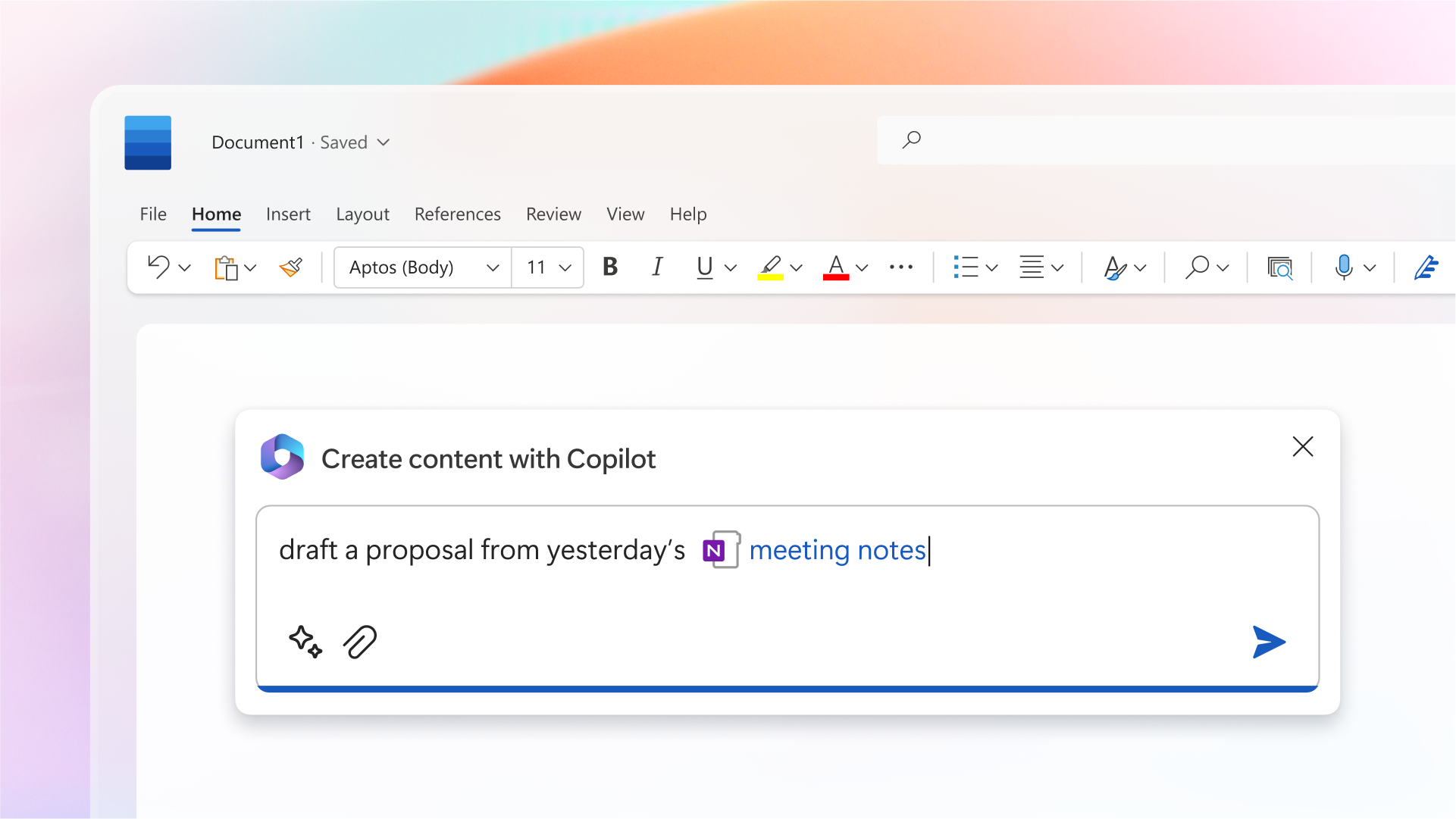
Copilot for Microsoft 365 uses large language models and Microsoft Graph content to provide actionable answers to users’ tasks. It integrates with Microsoft 365 applications, offering real-time assistance and enhancing search capabilities. It’s available as an add-on plan with certain Microsoft 365 and Office 365 subscriptions.How Can You Access Microsoft Copilot?
Accessing Microsoft Copilot involves different methods depending on which component of Copilot you wish to use. Here’s how you can access each:Copilot (Formerly Bing Chat)
To access Copilot (formerly Bing Chat), you can use the following methods:- Web Access: Visit the Copilot website (copilot.microsoft.com) and sign in with a Microsoft account or Entra ID.
- Microsoft Edge: Copilot is integrated into Microsoft Edge. You can access it by clicking the Bing icon in the sidebar.
- Mobile App: Copilot is available on mobile devices through the Bing app for iOS and Android. You can search and chat with Bing anytime, anywhere.
- Enterprise Access: For enterprise users, there is a version of Copilot with additional data protection known as Copilot with Data Protection (formerly Bing Chat Enterprise). This version offers a higher level of security and is accessible to users with an enterprise account.
Copilot for Microsoft 365
To get access to Copilot for Microsoft 365, you first need to activate the respective license.- Microsoft 365 Admin Center: Admins can manage and assign Copilot for Microsoft 365 licenses through the Microsoft 365 admin center. Navigate to the Billing > Licenses section to find and select Copilot for Microsoft 365. Here, you can assign licenses to individual users or groups.
- Direct Purchase: For businesses of all sizes, Copilot for Microsoft 365 is available without a minimum seat requirement. Copilot Pro, offering an enhanced experience, is also available for individual users. This can be subscribed to for $20 per month.
How Do You Use Microsoft Copilot?
Copilot (Previously Bing Chat)
Here are the different ways to use Copilot:- Q&A: Ask Copilot questions in a chat interface for immediate responses. It understands natural language.
- File Upload: Upload files like images for analysis. For example, it can identify a plant species from a photo.
- Web Insights: Using Microsoft Edge, Copilot can give insights about a web page, summarize information, and help draft content.
- Content Generation: Copilot can create text and images, like poems, stories, reports, or images from descriptions.
- Conversation Styles: Choose between Creative, Precise, or Balanced styles to customize the AI’s responses.
- Voice Interaction: Interact using voice on Windows, the website, or mobile app. Speak your query and Copilot will display and speak the results.
Copilot for Microsoft 365
- Word: Copilot can help draft, summarize, and revise documents. It can generate text based on brief inputs, suggest content ideas, and offer alternatives for phrases or sentences.
- Excel: Use Copilot for complex data analysis. It provides insights and identifies trends without manual analysis. It can also suggest the most effective charts or graphs for your data.
- PowerPoint: Copilot can turn ideas into full presentations with natural language instructions. It assists in drafting presentations, suggesting suitable layouts, designs, and imagery.
- Outlook: Copilot can help manage your inbox, summarize conversations, and provide response suggestions in Outlook. It enhances email management by generating summaries and drafting responses.
- Teams and Other Applications: Copilot integrates with Teams, Microsoft Loop, and Outlook, offering functionalities like meeting summarization, brainstorming assistance, and content creation.
How Much Does Microsoft Copilot Cost?
Microsoft Copilot’s cost varies based on the version and use case. Here’s a brief pricing breakdown:Microsoft Copilot (Formerly Bing Chat)
- Free for individual and enterprise users with commercial data protection. It’s available in Microsoft Edge.
Copilot Pro
- Offers advanced features for $20/month for individuals. Includes priority access to the latest AI models, AI image creation, and availability across various devices.
Copilot for Microsoft 365
- At $30/user/month, offers enhanced security, privacy, and compliance for enterprises. Integrates with Microsoft 365 Apps for a comprehensive AI assistant experience.
What Are the Limitations of Microsoft Copilot?
While Microsoft Copilot is a powerful AI tool, it has several limitations users and organizations should consider:- Hallucinations: Copilot can sometimes generate false or irrelevant information, known as hallucinations. These are more likely to occur in Creative mode.
- Limited Model Options: Some users have reported being unable to switch between different AI models, such as Creative, Balanced, and Precise, or toggle between GPT-4 and GPT-4 Turbo.
- Performance Issues: Users have noted performance problems, such as inaccurate suggestions and difficulties handling large datasets, particularly with Copilot Pro.
What Are the Best Alternatives to Microsoft Copilot?
The top three alternatives to Microsoft Copilot include: For more details and other alternatives, check out our article on the best AI chatbots in 2024.Frequently Asked Questions
What is Microsoft Copilot?
What is Microsoft Copilot?
Microsoft Copilot is an AI-powered digital assistant designed to assist users with various tasks on their devices. It can draft content, suggest different phrasings, insert images, and convert Word documents into PowerPoint presentations, among other tasks.
How does Microsoft Copilot generate content?
How does Microsoft Copilot generate content?
Copilot generates content based on language patterns discovered across the internet. It uses techniques such as machine learning, deep learning, natural language understanding, and natural language generation to answer questions or participate in conversations, mimicking human interaction.
Can Microsoft Copilot replace human workers?
Can Microsoft Copilot replace human workers?
No, AI, including Microsoft Copilot, is not intended to replace humans in the workplace. It is designed to make certain tasks more efficient, but it cannot handle complex tasks that require human judgment, decision-making, and creativity.
How can I access Microsoft Copilot?
How can I access Microsoft Copilot?
Microsoft Copilot is accessible from copilot.microsoft.com, Bing.com/chat, Edge, and Windows. It’s also available through the Copilot, Bing, Edge, Microsoft Start, and Microsoft 365 mobile apps. Users signed in to Copilot with Entra ID receive commercial data protection.
What are the limitations of Microsoft Copilot?
What are the limitations of Microsoft Copilot?
Microsoft Copilot may generate inaccurate, incorrect, or outdated information. Providing feedback through the Thumbs Up and Thumbs Down icons can help teach Copilot which responses are useful. This feedback is used to improve Copilot, but it does not train the foundational models Copilot uses.
How can I ensure the effective and responsible use of Microsoft Copilot?
How can I ensure the effective and responsible use of Microsoft Copilot?
To utilize Copilot effectively, provide granular instructions in your descriptions and stick to a single topic. Review generated topics for accuracy in the authoring canvas or code editor. Your feedback on your satisfaction with generated topics aids in improving system quality.