

By Alex · Updated May 9, 2026 AI chatbots promise one general-purpose assistant for writing, research, coding, and everyday questions. The catch: the best one depends on your workflow, since ChatGPT, Gemini, and Claude each lose to a specialist for specific jobs. We evaluated more than 20 options and selected seven leading picks.Documentation Index
Fetch the complete documentation index at: https://usefulai.com/llms.txt
Use this file to discover all available pages before exploring further.
Best AI Chatbots
| # | Tool | Best For | Platform |
|---|---|---|---|
| 1 |  ChatGPT ChatGPT | Best chatbot overall | Web, Mac, Windows, iPhone, Android, Chrome extension, API |
| 2 |  Google Gemini Google Gemini | Best for multimodal work | Web, Mac, iPhone, Android, API |
| 3 |  Claude Claude | Best for writing and coding | Web, Mac, Windows, iPhone, Android, Chrome extension, API |
| 4 |  DeepSeek DeepSeek | Best low-cost challenger | Web, iPhone, Android, API |
| 5 |  Microsoft Copilot Microsoft Copilot | Best for Microsoft 365 users | Web, Mac, Windows, iPhone, Android |
| 6 |  Grok Grok | Best for X and live trends | Web, iPhone, Android, API |
| 7 |  Poe Poe | Best multi-model chatbot | Web, iPhone, Android |
1. ChatGPT: Best chatbot overall
What We Like
It still covers the most ground in one product. Drafting, files, images, research, spreadsheets, Codex, and app connectors all live in one place. If your needs cross categories, ChatGPT saves you from picking separate tools. It’s the easiest chatbot to standardize on. Because ChatGPT is the category baseline, you get more tutorials, prompt examples, and team familiarity than with any alternative. Adoption friction is lower even when another tool wins a narrow task. It’s not locked to Google or Microsoft. Pick ChatGPT if you don’t want your assistant tied to a productivity suite you may leave later.What We Don’t Like
It can feel generic once you know your workflow. Claude is more thoughtful for serious writing, Gemini sharper for research and visuals. ChatGPT wins on breadth, not lanes.Pricing
| Plan | Price | What’s Included |
|---|---|---|
| Free | $0/mo | GPT-5.5 Instant, limited messages, basic image generation |
| Go | $8/mo | More messages, longer memory; may include ads |
| Plus | $20/mo | GPT-5.5 Thinking, projects, custom GPTs, Codex access |
| Pro | From $100/mo | GPT-5.5 Pro, maximum usage, unlimited image creation |
| Business | $20/user/mo annual or $25/user/mo monthly | 60+ connectors, admin controls (2+ users) |
| Enterprise | Custom | Enterprise security, data residency, SLAs |
Platform Availability
Web, Mac, Windows, iPhone, Android, Chrome extension, APIWho It’s For (and Who Should Skip It)
Choose ChatGPT if you want one capable assistant for general work and don’t yet have a specialized lane. Skip it if your day runs through Microsoft 365 (Copilot), Google apps (Gemini), or serious writing and coding (Claude).2. Google Gemini: Best for multimodal work
What We Like
Google context is the real differentiator. Gmail, Drive, Docs, Chrome, Search, YouTube, and NotebookLM all feed Gemini in ways no other assistant matches. If your work already lives in Google, the context-switching savings are substantial. Image and video work is the reason to test it. If image editing, generation, or multimodal input matters, test Gemini before ChatGPT or Claude. This is where Gemini’s advantage is most visible.What We Don’t Like
Claude still wins on serious writing and coding. If long documents or code is your daily work, test Claude before committing - the gap is real.Pricing
| Plan | Price | What’s Included |
|---|---|---|
| Free | $0/mo | Gemini 3 Flash, limited 3.1 Pro, Deep Research, 15 GB storage |
| Google AI Plus | $7.99/mo | More 3.1 Pro, Nano Banana Pro, Gemini in Gmail/Vids, 200 GB |
| Google AI Pro | $19.99/mo | Higher 3.1 Pro limits, Deep Search, 5 TB storage |
| Google AI Ultra | $249.99/mo | Veo 3.1, Deep Think, Gemini Agent, 30 TB storage |
Platform Availability
Web, Mac, iPhone, Android, APIWho It’s For (and Who Should Skip It)
Choose Gemini if you live inside Google, care about image and video work, or want research that pulls from your Drive. Skip it if you want Claude’s writing depth - ChatGPT is the safer neutral pick outside Google’s ecosystem.3. Claude: Best for writing and coding
What We Like
It’s the strongest serious writing partner. Prose, synthesis, critique, and nuanced reasoning all feel less templated here than in any default assistant. If you spend your week editing, drafting, or shaping arguments, the difference shows up fast. The product is built for actual work, not just chat. Claude Code, Cowork on desktop, artifacts, computer use, and Excel/PowerPoint add-ins make Claude useful when chat overlaps with building, refactoring, or producing structured outputs. It has the strongest trust posture in the top tier. Claude is the easiest top-tier chatbot to justify when careful refusals, privacy posture, and sensitive work matter. That’s not compliance certification, but it is one reason we’d test Claude first for higher-stakes work.What We Don’t Like
Usage limits can interrupt real work. Long writing or coding sprints hit Pro’s limits faster than you’d expect. The risk isn’t answer quality, it’s whether your plan covers the session. No native image or video generation. Claude can analyze images and produce strong work products, but it doesn’t generate images or video. If that’s part of your weekly workflow, Gemini, ChatGPT, or Grok will fit better.Pricing
| Plan | Price | What’s Included |
|---|---|---|
| Free | $0 | Web, mobile, desktop, web search, memory, connectors |
| Pro | $17/mo annual or $20/mo monthly | Claude Code, Cowork, projects, Research, more models |
| Max | From $100/mo | 5x or 20x Pro usage, higher output limits, priority access |
| Team / Enterprise | Custom | Admin controls, HIPAA-ready, audit logs, SCIM |
Platform Availability
Web, Mac, Windows, iPhone, Android, Chrome extension, APIWho It’s For (and Who Should Skip It)
Choose Claude if writing, coding, long documents, or careful knowledge work matter more than maximum media features. Skip it if you need frequent heavy sessions on a budget plan or want native image generation - Gemini and ChatGPT handle media better.4. DeepSeek: Best low-cost challenger
What We Like
The free app is actually free. No ads, no in-app purchases, capable models. Easy to test before paying for ChatGPT, Gemini, or Claude. The API economics are the real story. For developers, DeepSeek’s value is usage-based pricing that can be dramatically cheaper than frontier-provider APIs, especially when cache hits apply.What We Don’t Like
It’s not safe for sensitive work. Privacy, censorship, and geopolitical trust questions are real, not theoretical. Skip DeepSeek for confidential business, legal, medical, government, or regulated workflows - ChatGPT and Claude have stronger postures here. The consumer app isn’t as polished as the top three. Memory, connectors, office workflows, and desktop agents all lag ChatGPT, Gemini, and Claude.Pricing
| Plan | Price | What’s Included |
|---|---|---|
| App | Free | No ads, no IAP, chat sync, web search, Deep-Think, file upload |
| V4-Flash API | Usage-based | From $0.0028/1M input cache hit to $0.28/1M output |
| V4-Pro API | Usage-based | Discounted through May 31, 2026; 1M context, 384K max output |
Platform Availability
Web, iPhone, Android, APIWho It’s For (and Who Should Skip It)
Choose DeepSeek if you want a free chatbot to experiment with or a low-cost API. Skip it for confidential, regulated, or sensitive work - ChatGPT and Claude are safer.5. Microsoft Copilot: Best for Microsoft 365 users
What We Like
It’s the best fit for Microsoft work. Copilot shows up directly inside Word, Excel, PowerPoint, Outlook, Teams, Edge, and Windows. If your day runs through those tools, the context-aware help reduces switching in ways a separate chatbot can’t. The enterprise governance story is real. Admin controls, agent governance, model diversity (Claude now runs inside Copilot Chat alongside GPT models), and Microsoft 365 integrations matter if you’re rolling Copilot out to a team, not just picking an assistant for yourself.What We Don’t Like
It’s underwhelming as a neutral chatbot. Outside Microsoft workflows, ChatGPT, Gemini, and Claude all feel sharper. The experience is built around Microsoft context, so general use is a step down. The pricing and product map confuses everyone. Free consumer Copilot, Microsoft 365 plans, business plans, enterprise Agent 365, Edge, Windows - it’s easy to misunderstand what you’re getting. Family plan AI features only work for the subscription owner.Pricing
| Plan | Price | What’s Included |
|---|---|---|
| Copilot standalone | Free | Online access plus PC, Mac, and mobile apps |
| Microsoft 365 Personal | $99.99/yr | Word, Excel, PowerPoint, Outlook with Copilot, 1 TB storage |
| Microsoft 365 Family | $129.99/yr | Personal features for up to 6 people (AI for owner only) |
| Microsoft 365 Premium | $199.99/yr | AI agents for research and data, extensive Copilot usage |
Platform Availability
Web, Mac, Windows, iPhone, AndroidWho It’s For (and Who Should Skip It)
Choose Copilot if you live in Microsoft 365 or manage Microsoft users. Skip it for everything else - ChatGPT, Gemini, or Claude are better neutral assistants.6. Grok: Best for X and live trends
What We Like
No other chatbot has this live social context. Direct X integration means current posts, trends, and ongoing conversation flow into responses. A genuine advantage if your work touches live commentary. The personality is part of the product. Grok is more willing to argue, be direct, or skip the safety-first hedging the top three default to. If you’re brainstorming, writing social copy, or doing culture-adjacent work, the looser tone reads less corporate.What We Don’t Like
Trust and brand association cut both ways. The X tie and looser content posture are part of the appeal but also the reason to skip if you’re cautious about either. Test policy, tone, and data expectations carefully before committing real workflows.Pricing
| Plan | Price | What’s Included |
|---|---|---|
| X Premium+ | $40/mo or $395/yr | Expanded Grok 3 access, higher limits, early features |
| SuperGrok | Not publicly listed | Grok.com subscription with higher usage |
| SuperGrok Heavy | Not publicly listed | Grok Heavy access, Grok Build early beta |
Platform Availability
Web, iPhone, Android, APIWho It’s For (and Who Should Skip It)
Choose Grok if you want AI tied to X, live trends, and a looser style. Skip it for office document work or cautious data policies - Claude or Copilot fit better.7. Poe: Best multi-model chatbot
What We Like
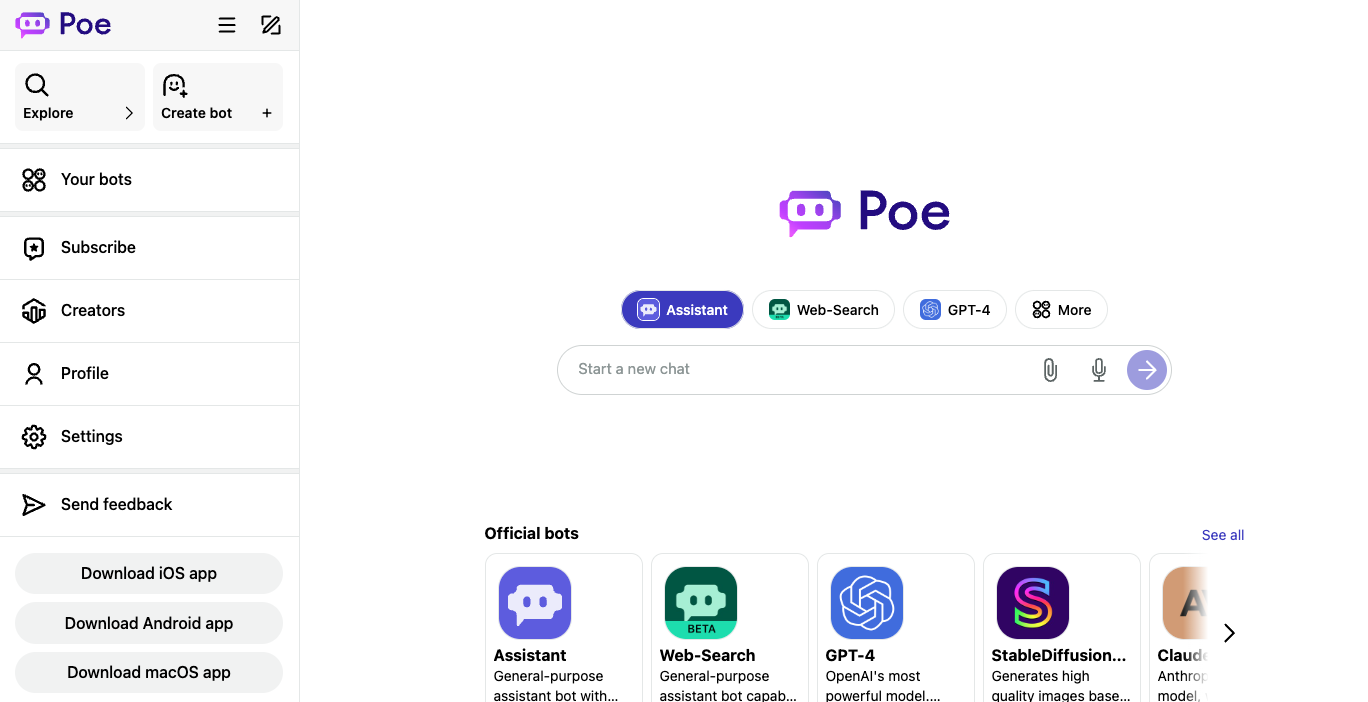
Many models, one consumer app. Compare GPT, Claude, Gemini, Grok, and community bots without API keys or stacked subscriptions. If you’re model shopping, hard to beat. The bot ecosystem goes beyond text chat. User-created bots, group chats up to 200 people, and Script Bots combining text, image, video, and audio models give Poe range that a single-provider app can’t match.What We Don’t Like
The points system creates cost uncertainty. Different bots consume points at very different rates, free access is limited, and heavy frontier-model use burns through plans faster than expected. Budget against usage, not the headline subscription price.Pricing
| Plan | Price | What’s Included |
|---|---|---|
| Free | $0 | Daily points reset every 24 hours, access to many bots |
| Subscription | From $4.99/mo | More points, frontier bots, context up to 2M tokens |
| Add-on points | From $30 per 1M points | One-year validity, non-refundable |
Platform Availability
Web, iPhone, AndroidWho It’s For (and Who Should Skip It)
Choose Poe if you want to compare frontier models without committing to one provider, or you’re not sure which you’ll prefer long-term. Skip it if you want one consistent assistant with predictable limits - ChatGPT or Claude work better.Selection Guide
- If you want a strong default for everyday work → ChatGPT
- If you live in Google apps and care about visuals → Gemini
- If you write, code, or work with long documents → Claude
- If you want a free or low-cost option → DeepSeek
- If your work runs through Microsoft 365 → Copilot
- If you cover X, social, or live trends → Grok
- If you want to compare many models in one app → Poe
How We Evaluated
We evaluated more than 20 AI chatbots and selected 7 for this guide. We don’t use affiliate links, accept sponsorships, or take payment from tool makers. Recommendations are based entirely on our testing across writing, research, coding, image generation, and everyday questions, plus weeks of normal use as our daily drivers.Selection Criteria
- Output quality. We compared writing depth, reasoning, accuracy, and how each handled ambiguous or multi-step prompts.
- Workflow fit. How well each tool fit into real daily work: files, connectors, memory, mobile, desktop, and ecosystem integration.
- Pricing clarity. How easy it is to understand what you get, what you pay, and what counts against your limits.
- Trust and safety. Privacy posture, content handling, refusal patterns, and how each tool treats sensitive information.
How We Tested
We ran each chatbot against a consistent set of prompts covering long-form writing, technical research, code generation, image creation, and structured analysis. We paid attention to whether output matched the prompt, whether claimed features actually worked, and where friction kept showing up. We also tracked which tools we kept reaching for after the formal testing ended - that’s usually the most honest signal.Alternatives to Consider
Other Tools Worth Considering
- Qwen - Consider for comparing Alibaba’s global and open-model ecosystem
- TypingMind - Consider for power-user BYO-key workspace with prompt libraries
- Perplexity - Consider when cited web research matters more than open chat
- Kimi - Consider for Asian-provider chatbots or long-context work
- Mistral Le Chat - Consider for a fast European frontier-model assistant
- Meta AI - Consider for casual use inside Facebook, Instagram, or WhatsApp
- HuggingChat - Consider for free open-model experimentation
Adjacent Categories
- Customer-support AI chatbots (Intercom Fin, Zendesk AI, Chatbase): These deploy on websites or help centers to deflect support tickets. Choose this category when you need an AI agent on a business site, not a personal assistant.
- Coding agents and AI IDEs (Cursor, Claude Code, GitHub Copilot): Their primary value is coding inside repos, IDEs, and pull-request workflows. Choose when you’re really there for code work - writing, editing, or reviewing - not everyday chat.
- AI companion and roleplay chatbots (Character.AI, Replika, Kindroid): These optimize for personality, companionship, and roleplay rather than productivity. Choose when you want fictional characters or emotional companionship over a work assistant.
What You Need to Know Before Using AI Chatbots
A few practical considerations matter more than tool choice. These are the security, legal, and privacy issues most likely to bite you in the first month.Confidentiality and Your Data
Most major chatbots use your conversations to improve their models unless you turn that off, and the controls live in different places (settings, plan tier, or admin console). For sensitive business, legal, or medical content, check each tool’s data retention and training opt-out before pasting anything you wouldn’t want in a future model. Enterprise plans usually offer stronger guarantees than consumer tiers.Provider Trust and Regional Rules
Not all chatbots offer the same data residency, content moderation, or regulatory posture. Microsoft and Google offer the strongest enterprise governance. Grok’s content posture is looser by design. Match the provider to your regulatory and trust requirements, not just to model quality.Hallucinations and Verification
Every chatbot in this guide still makes confident factual errors. The rate varies, but no model is reliable enough to trust without checking for legal contracts, medical advice, financial decisions, or anything where a wrong answer carries real cost. Tools with citations (Gemini Deep Research, Perplexity, ChatGPT Research) make verification easier but don’t eliminate the problem.Frequently Asked Questions
What's an AI chatbot, and how is it different from AI search?
What's an AI chatbot, and how is it different from AI search?
AI chatbots are general-purpose assistants that handle writing, coding, research, file work, and conversation. AI search tools like Perplexity prioritize cited answers to specific web queries. The line blurs - ChatGPT and Gemini both search now - but chatbots are built for open-ended sessions, while search tools optimize for retrieval.
Can I use these chatbots if my company has a strict data policy?
Can I use these chatbots if my company has a strict data policy?
Usually yes, but check the enterprise tier. ChatGPT Business, Claude Team/Enterprise, Microsoft 365 Copilot, and Gemini for Workspace all offer no-training-on-data guarantees, admin controls, and audit logs. Personal accounts and free tiers typically do not. Many companies block consumer chatbot domains entirely - confirm with your IT or security team first.
What happens to my chats and files if I cancel a subscription?
What happens to my chats and files if I cancel a subscription?
Most providers keep your account and history accessible on the free tier after a paid plan ends, but subscription features (longer context, projects, connectors) get disabled. Always export before canceling if your work history matters - Claude and ChatGPT both make this easy.
Can I switch between plans without losing my data?
Can I switch between plans without losing my data?
Yes, on every chatbot in this guide. Upgrades and downgrades within the same provider keep your chats, projects, and memory intact. Switching providers doesn’t transfer history automatically, though Gemini and Claude added memory-import tools recently.
Do these chatbots work with my existing tools like Notion, Slack, or Gmail?
Do these chatbots work with my existing tools like Notion, Slack, or Gmail?
Most top-tier chatbots offer connectors now. ChatGPT integrates with Notion, Linear, Dropbox, and Box. Claude connects to Slack, Google Workspace, and Microsoft 365. Gemini works natively across Google apps. Connector availability often depends on your plan and admin settings, so confirm before assuming a workflow will work.
Should I pay for one chatbot or use a multi-model tool like Poe?
Should I pay for one chatbot or use a multi-model tool like Poe?
If you have a clear workflow, paying one provider is usually simpler. If you’re still figuring out which model fits your work, or you want occasional access to several frontier models without stacking subscriptions, Poe or TypingMind makes sense. If you use any single model heavily, you’ll usually end up subscribing direct.