

What is Claude?
How Can You Access Claude?
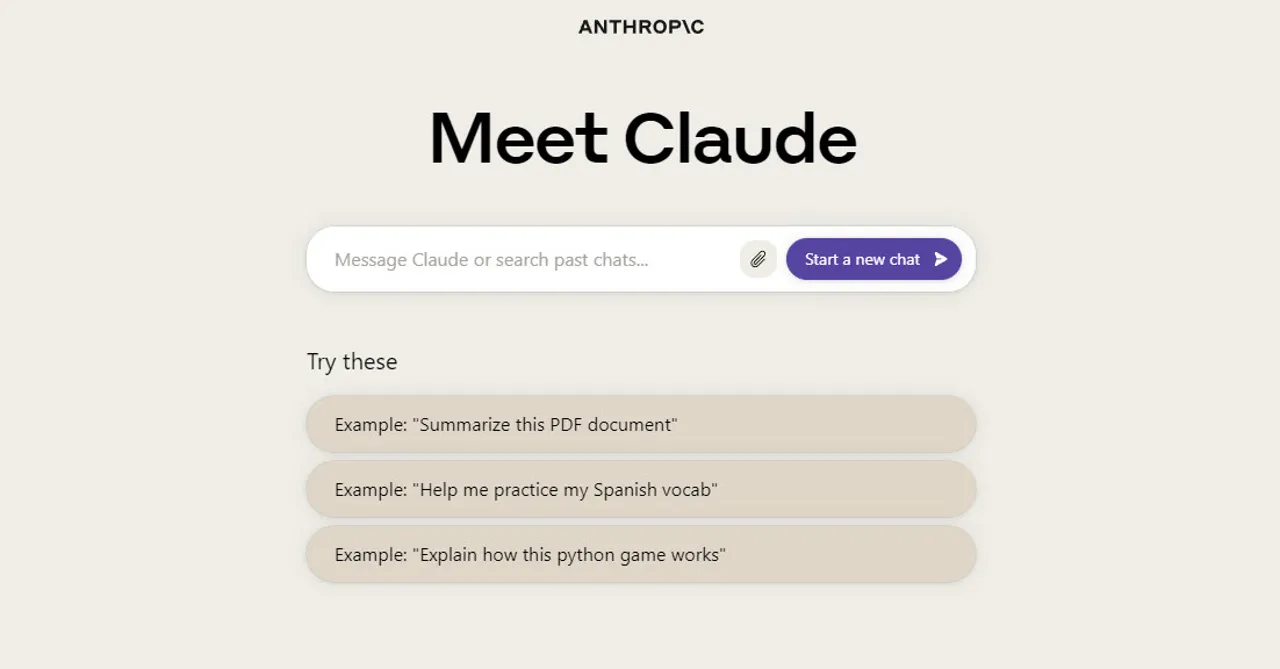
Claude can be accessed via the website or through the API. Each method is designed to cater to different user needs, whether you want to interact with Claude directly for personal use or integrate its capabilities into your own applications.Access Claude AI Chatbot via Website
To interact with Claude directly through the website, follow these steps:- Visit the Claude Website: Go to claude.ai and start interacting with Claude.
- Sign Up: If you’re a new user, sign up by entering your email address and following the instructions to verify your account.
- Log In: Once your account is verified, log in with your credentials.
- Start Chatting: After logging in, you’re directed to the chat screen where you can start asking Claude your questions and requests.
Access Claude via API
Developers who wish to integrate Claude’s capabilities into their applications should access it via the API. Here’s how to get started:- Create a Console Account: Visit Anthropic’s web Console and sign up for an account. You’ll need to verify your email address to complete this process.
- Explore the Console: The Console is your hub for interacting with Claude’s API. It offers features like the Workbench, which allows you to experiment with prompts, and the ability to generate API keys.
- Generate an API Key: Go to the API Keys section in your Account Settings on the Console. Create a new API key, which you’ll need for authenticating your API requests.
- Start Developing: Once you have your API key, you can start coding with Claude. Consult the API documentation available on the Console to understand the endpoints, request parameters, and response formats.
Additional Information
- Claude Versions: Claude has evolved through several versions, including Claude 2 and Claude 3, each offering improvements in capabilities and performance. The latest, Claude 3, includes models like Haiku, Sonnet, and Opus, with varying levels of intelligence and speed.
- Global Availability: Initially, Claude was available only in specific regions like the U.S. and the U.K. However, Anthropic has expanded access, making Claude available in more countries. If you’re outside these regions, using a VPN might be necessary.
- Free and Paid Versions: Claude offers both free and paid versions, with the paid version, Claude Pro, providing access to more advanced features and models.
How to Use Claude?
Claude offers a variety of functions from simple question-answering to more advanced features like file uploads and using browser extensions. Here is a detailed guide on using Claude for different purposes:Basic Conversations and Question-Answering
- Access Claude: Visit the Claude website and sign in with your account.
- Start a Chat: Begin by typing a question or request in the chat prompt. Claude can handle a wide array of queries, from basic knowledge questions to complex inquiries.
- Check Responses: Claude will respond based on its training data. If the answer is not satisfactory, click the “Retry” button to prompt Claude to attempt the question again.
File Uploads for Analysis
Claude supports the upload of various file types for analysis, including DOCX, PDF, and text files. However, remember that the exact methods and limitations might differ.- Prepare Your File: Ensure your file is within the supported size limit. Claude accepts uploads of files up to 10MB each, and you can upload up to five files at once under the free plan.
- Upload the File: In the Claude chat interface, find the “Upload” button. Choose your file(s) from your computer and confirm the upload.
- Request Analysis: After the file is uploaded, you can ask Claude to summarize the document, answer questions based on its content, or conduct other analysis tasks.
Advanced Features
- Language Translation and Content Creation: Claude can translate text between languages and generate content, including writing assistance and creative writing prompts.
- Code Generation: For coding tasks, Claude can help with generating code snippets, debugging, and explaining programming concepts.
- Visual Processing: Claude can analyze and transcribe images, including photos and handwritten notes, although the availability of this feature may vary.
What is the Cost of Claude?
Claude employs a tiered pricing model that consists of a free tier and paid subscriptions:Free Tier
- Usage Limit: The free version of Claude permits users to engage with the chatbot up to a certain number of prompts per day.
Claude Pro
- Monthly Fee: The Claude Pro subscription is priced at $20 per month in the US or £18 per month in the UK.
- Increased Usage: Pro subscribers can exchange a significantly larger number of messages compared to the free tier.
- Additional Features: Pro users receive priority access during periods of high traffic and early access to new features and improvements.
API Access
- Pay-As-You-Go: For developers and businesses interested in incorporating Claude’s capabilities into their applications, a pay-as-you-go pricing structure is available for API access.
- Claude API Pricing: API pricing varies based on the model used, with distinct rates for Claude Instant, Claude 2, and the various Claude 3 models (Haiku, Sonnet, Opus).
What Are the Limitations of Claude?
Claude has several limitations:- Message Limits: Free users’ daily message limit varies and resets daily. Claude Pro users have limits based on message count and conversation length, resetting every 8 hours.
- Content Limits: The free version filters out content deemed inappropriate or dangerous, such as violence, hate, adult content, and illegal activities.
- Hallucinations: Claude can deliver false statements or “hallucinate.” The latest model, Claude 2.1, has significantly reduced this tendency with a 2x decrease in false statements compared to its predecessor.
- Access Limits: During periods of high demand, free access to Claude may be restricted to prevent system overload. Paid subscribers are given priority.
- Lack of Internet Access: Claude cannot access the internet for browsing or retrieving real-time information.
What Are the Best Alternatives to Claude?
The top three alternatives to Claude are: For more information and additional alternatives, please read our article on the best AI chatbots in 2024.Frequently Asked Questions
What is Claude?
What is Claude?
Claude is an AI chatbot developed by Anthropic that uses advanced language models to engage in natural text-based conversations and perform a wide range of tasks. It can summarize, edit, answer questions, make decisions, and write code.
How can I access Claude?
How can I access Claude?
You can access Claude by visiting the website at claude.ai and signing up for an account. Developers can also integrate Claude’s capabilities into their applications via the API through Anthropic’s Console.
Is Claude free to use?
Is Claude free to use?
Claude offers a free tier that permits users to engage with the chatbot up to a certain number of prompts per day. For those needing more usage and advanced features, Claude Pro is available for $20 per month.
What can Claude do?
What can Claude do?
Claude can handle a wide array of tasks including answering questions, summarizing documents, translating text, generating content, writing code, and analyzing uploaded files like PDFs and documents.
What are the limitations of Claude?
What are the limitations of Claude?
Claude has some limitations including message limits for free users, content filtering, the potential for hallucinations (generating false statements), and the inability to access the internet for real-time information.
What is the difference between Claude and Claude Pro?
What is the difference between Claude and Claude Pro?
Claude Pro is the paid subscription ($20/month) that provides increased message limits, priority access during high traffic periods, and early access to new features and improvements compared to the free tier.